
core
The General Agent
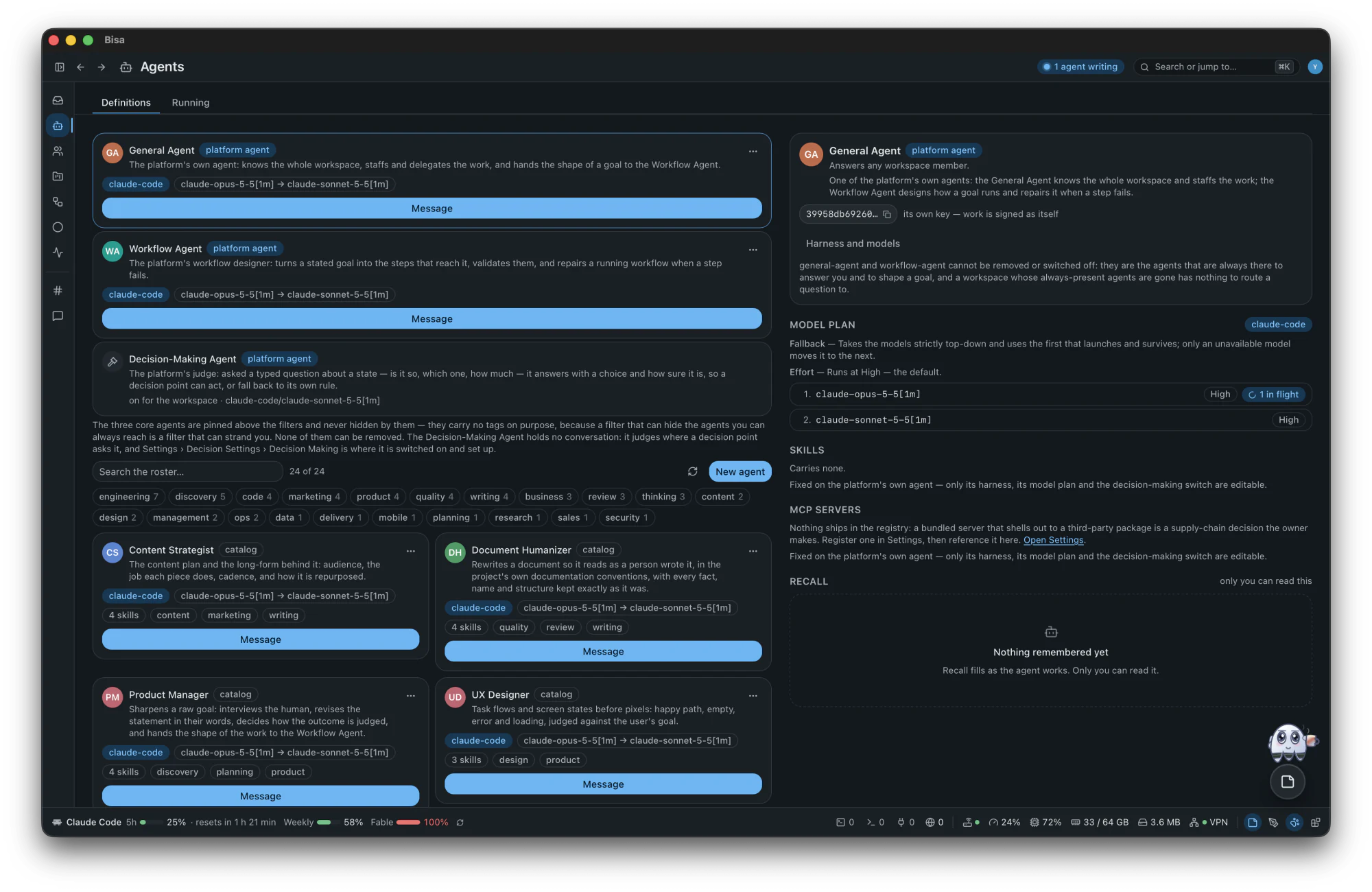
Answers what is said to nobody in particular, and staffs the work: it installs from the catalog the agents and teams a goal needs, and assigns them.
Local-firstNo accountNostrOpen source · MIT
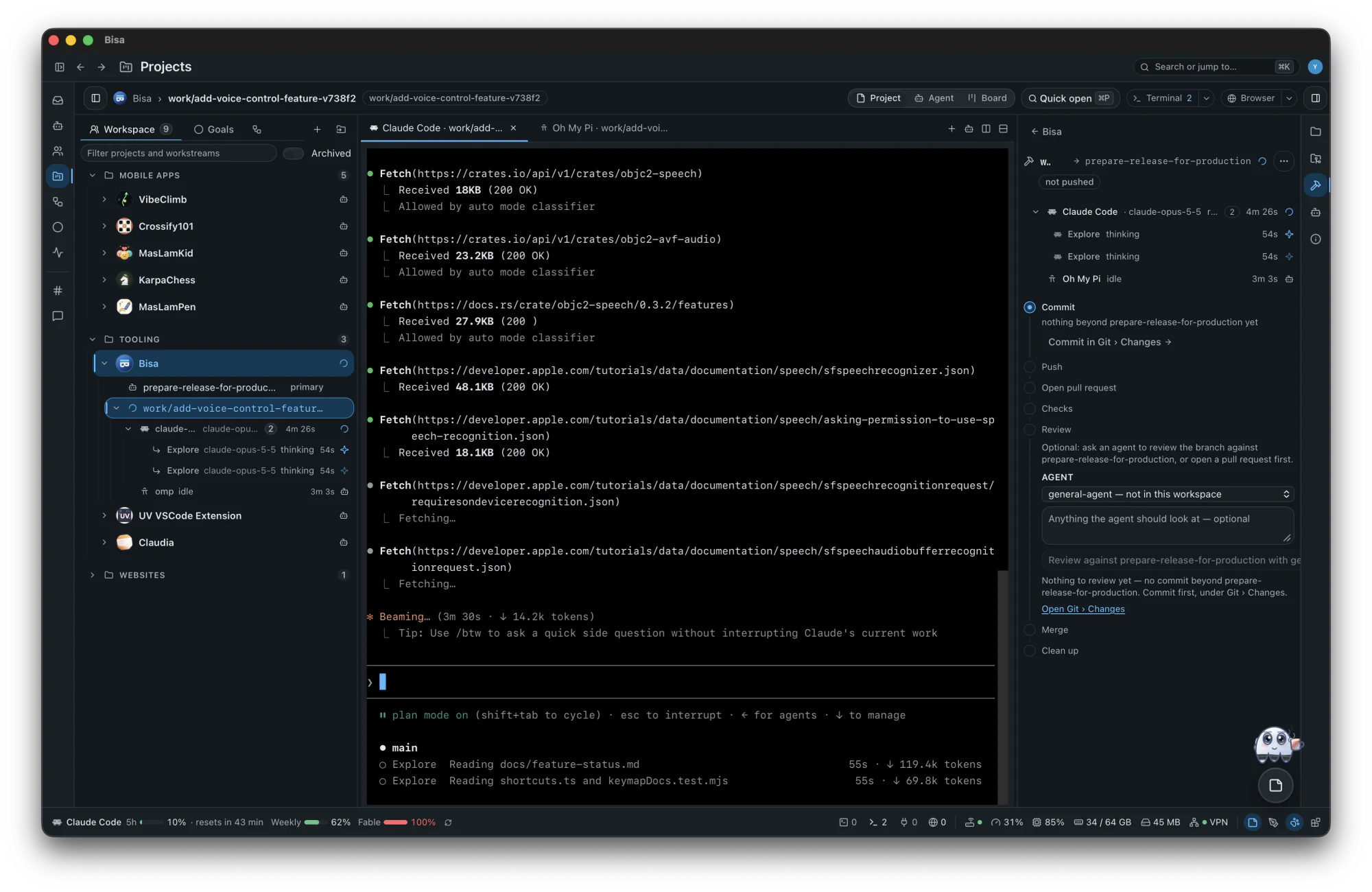
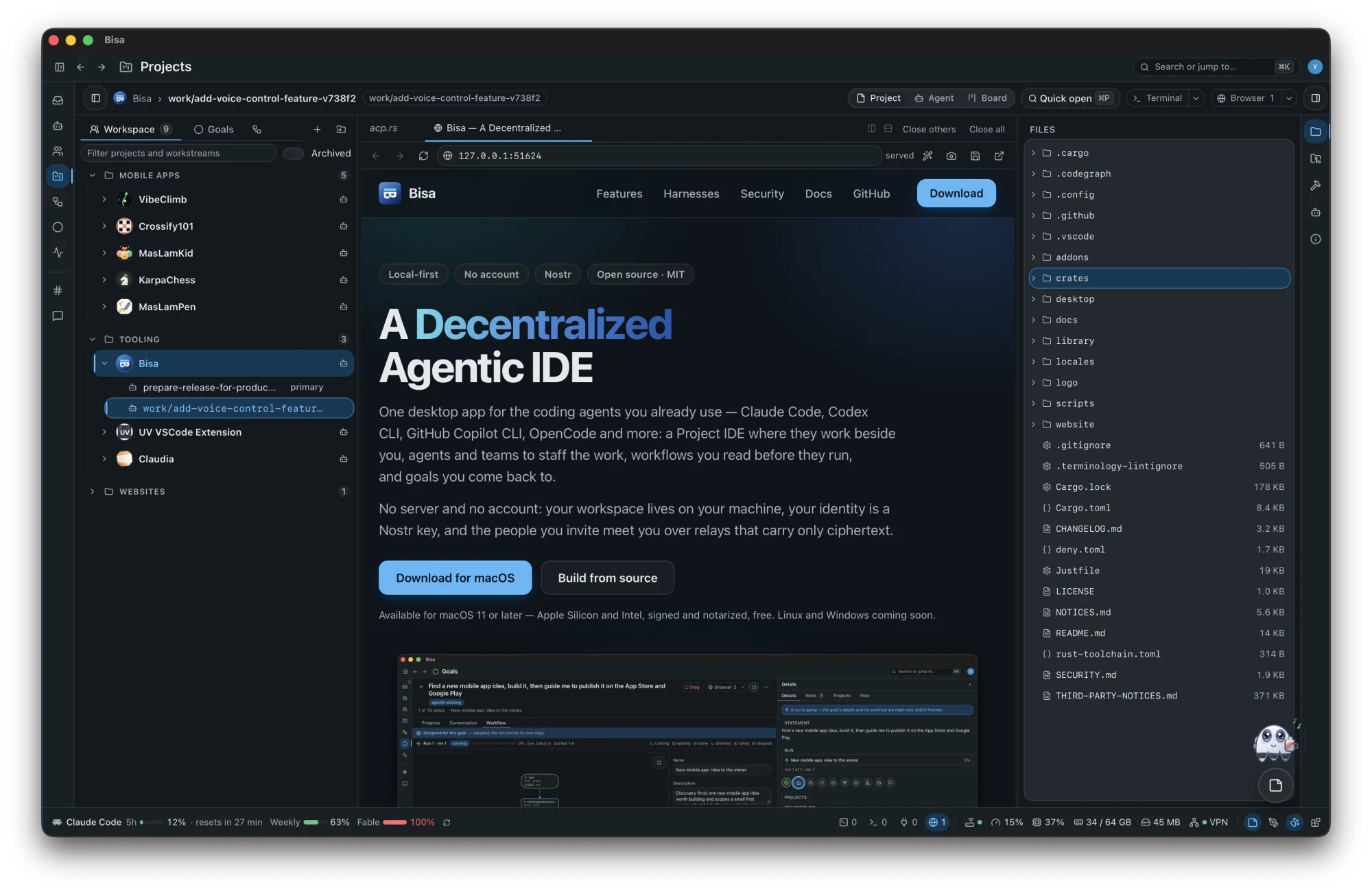
One desktop app for the coding agents you already use — Claude Code, Codex CLI, GitHub Copilot CLI, OpenCode and more: a Project IDE where they work beside you, agents and teams to staff the work, workflows you read before they run, and goals you come back to.
No server and no account: your workspace lives on your machine, your identity is a Nostr key, and the people you invite meet you over relays that carry only ciphertext.
Available for macOS 11 or later — Apple Silicon and Intel, signed and notarized, free. Linux and Windows coming soon.

Works with the harnesses you already have
Claude CodeCodex CLIGitHub Copilot CLIGrok BuildOpenCodepiOh My PiGooseCursor Agentany ACP agentA2A
01Inbox
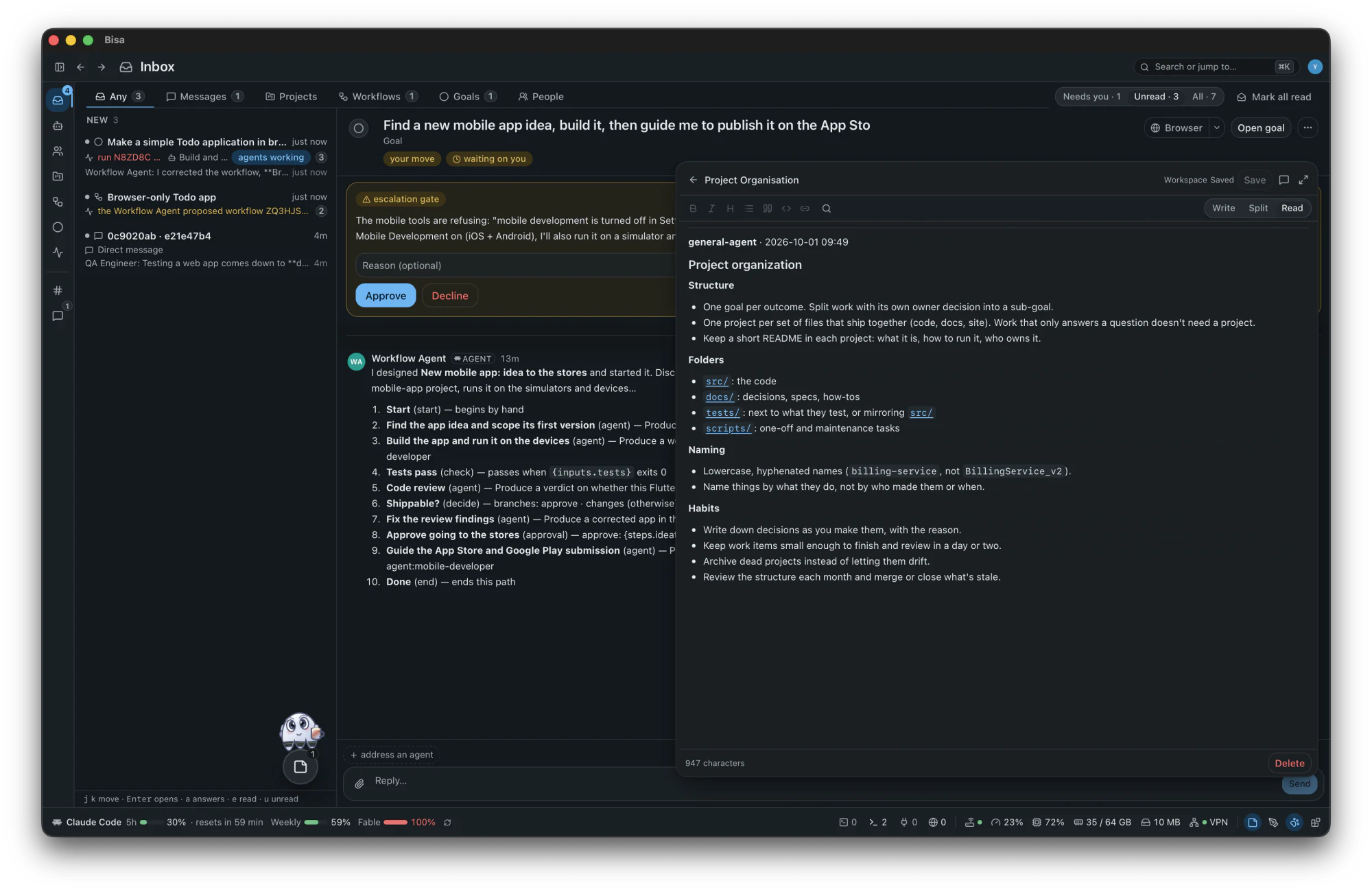
You decide; you don't drive. Anything that waits on a person waits here — and nowhere else.
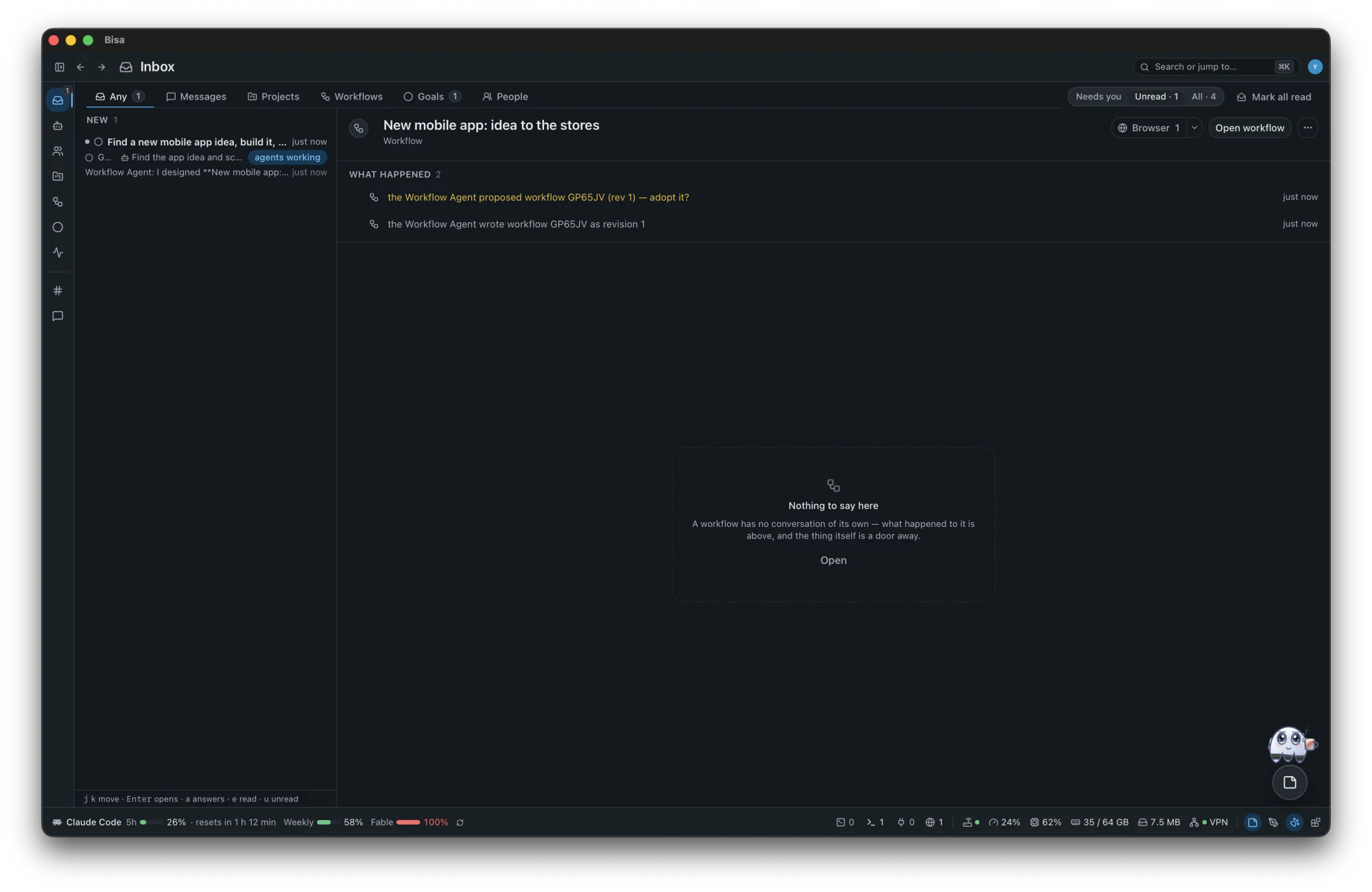
02Agents
An agent is a definition — a prompt, a harness, a model plan with failover, an effort, skills and MCP servers — with a keypair of its own, so its work is signed as itself. Bisa ships no harness: it drives the ones on your machine.
core
Answers what is said to nobody in particular, and staffs the work: it installs from the catalog the agents and teams a goal needs, and assigns them.
core
Designs and repairs workflows. It asks what it needs to know and proposes — and never adopts, starts or changes one behind your back.
core
Judges where a decision point asks it, with a confidence. It holds no conversation, signs nothing, and stays off until you choose who judges.
Installed on demand — never seeded — each with the skills its job needs. A fresh workspace holds the General Agent, the Workflow Agent and the general channel; the rest arrives when a goal asks for it, or when you do.
minimal to max, each fitted to what the harness and the model take.03Teams
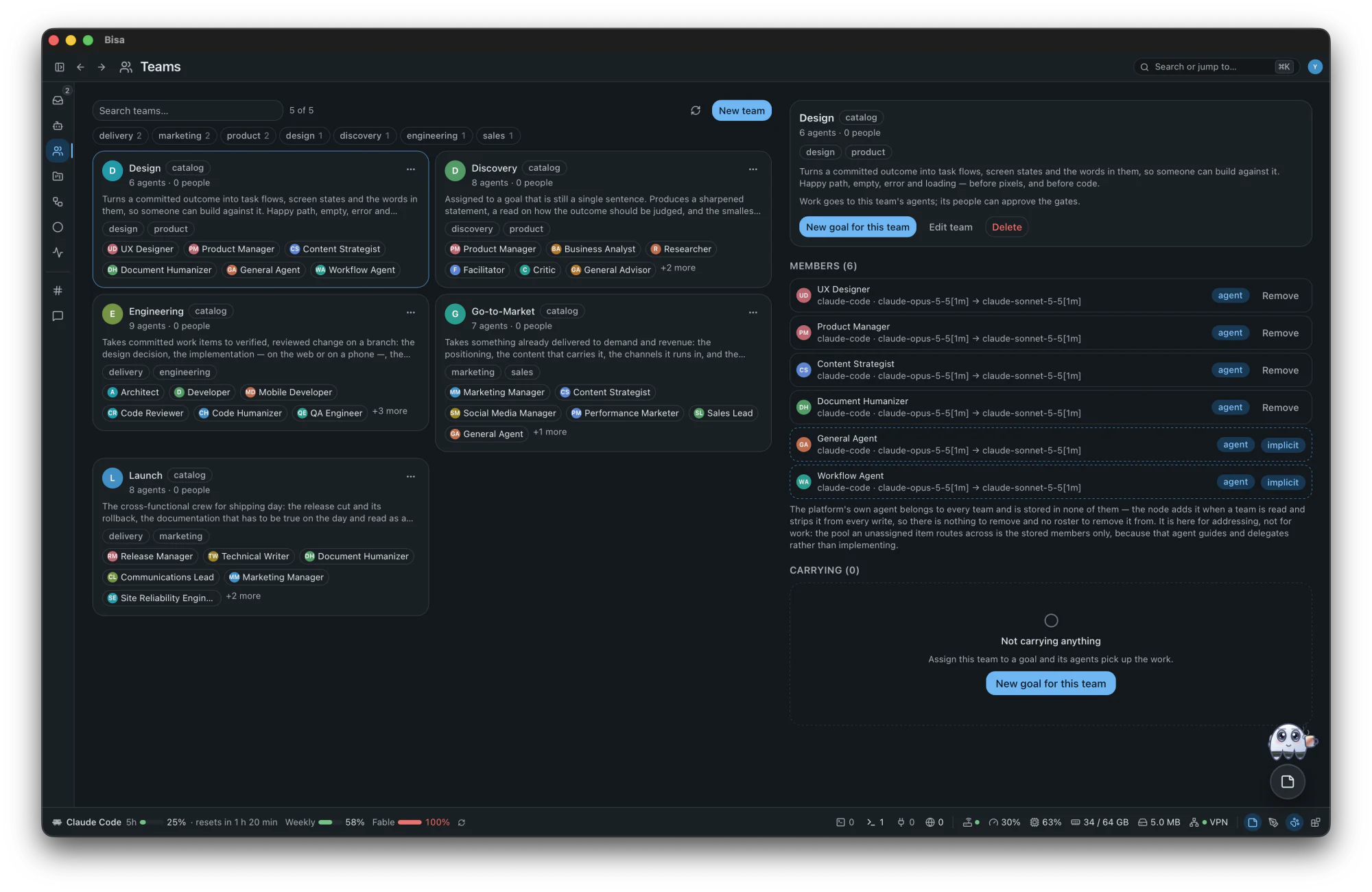
A team gathers agents — and people — under a purpose. Assign a goal to a team and the work is staffed from it.
Turns a committed outcome into task flows, screen states and the words in them, so someone can build against it.
UX DesignerProduct ManagerContent StrategistDocument Humanizer
Assigned to a goal that is still a single sentence.
Product ManagerBusiness AnalystResearcherFacilitatorCriticGeneral Advisor
Takes committed work items to verified, reviewed change on a branch: the design decision, the implementation — on the web or on a phone —, the review of the diff, the rewrite that makes it read as a person's, and the security read that goes with it.
ArchitectDeveloperMobile DeveloperCode ReviewerCode HumanizerQA EngineerSecurity Engineer
Takes something already delivered to demand and revenue: the positioning, the content that carries it, the channels it runs in, and the pipeline that comes out the other end.
Marketing ManagerContent StrategistSocial Media ManagerPerformance MarketerSales Lead
The cross-functional crew for shipping day: the release cut and its rollback, the documentation that has to be true on the day and read as a person wrote it, the announcement, and someone named to be on the hook afterwards.
Release ManagerTechnical WriterDocument HumanizerCommunications LeadMarketing ManagerSite Reliability Engineer
Owns how work reaches production and what happens to it there: pipelines, environments, release cuts and incidents.
DevOps EngineerSite Reliability EngineerSecurity EngineerRelease Manager
The adversarial panel to assign when a decision is expensive or hard to reverse.
CriticRed TeamEvaluatorQA Engineer
Answers whether the thing is worth building and what it should cost.
Business StrategistFinance AnalystBusiness AnalystData AnalystLegal Advisor
Every phase staffed at once, from the business case to the first customer, so one goal can go end to end with the fewest handoffs and someone sequencing the ones that remain.
Product ManagerProject ManagerBusiness StrategistArchitectDeveloperQA EngineerDevOps EngineerMarketing ManagerSales LeadFinance Analyst
04Projects
A project is a real folder — created, cloned, imported or adopted — and Bisa never writes into one it did not create. Every piece of work gets a workstream: a branch and a checkout of its own. Switching never touches your tree, and nothing in it can be made unrecoverable.
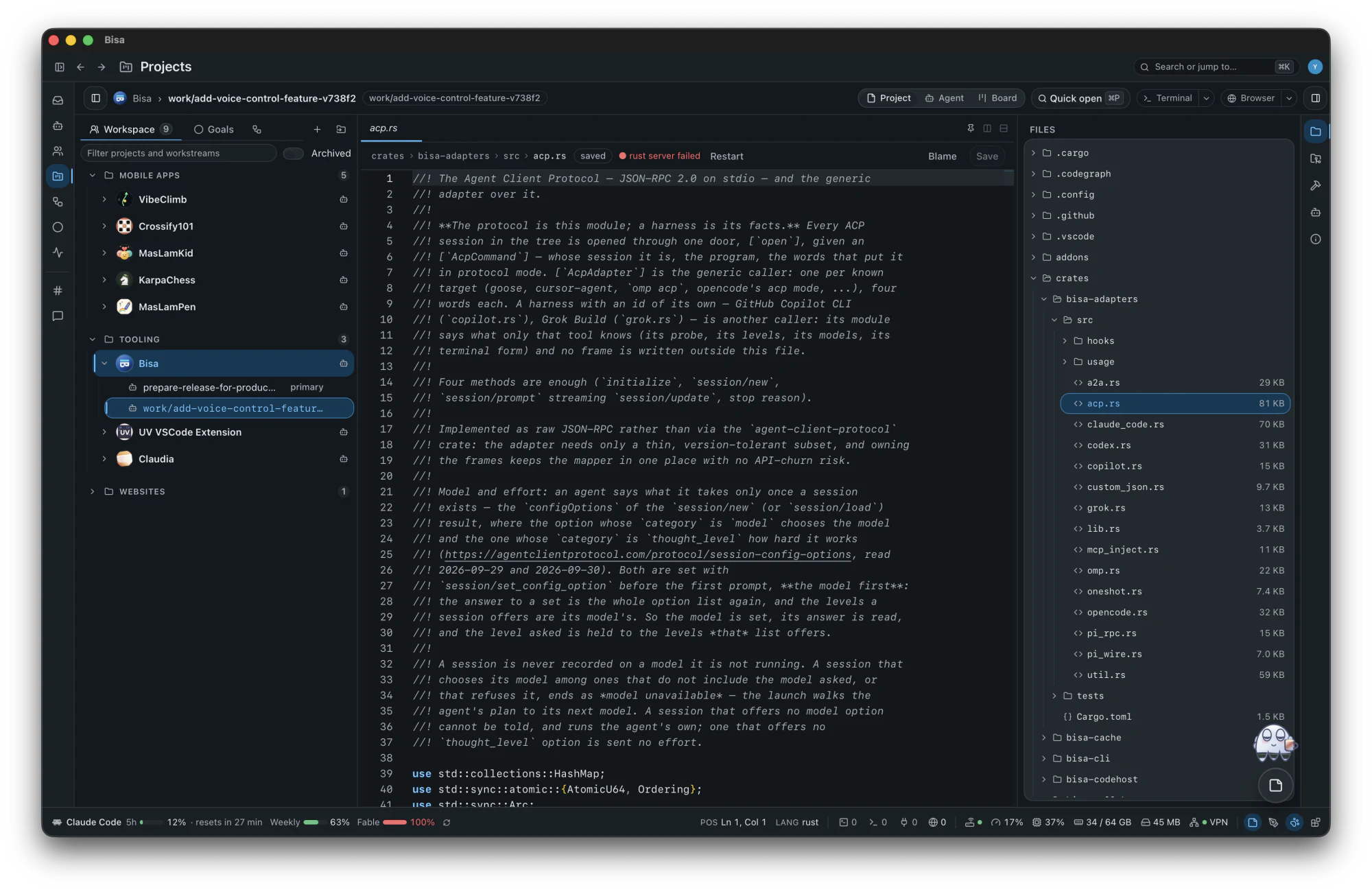
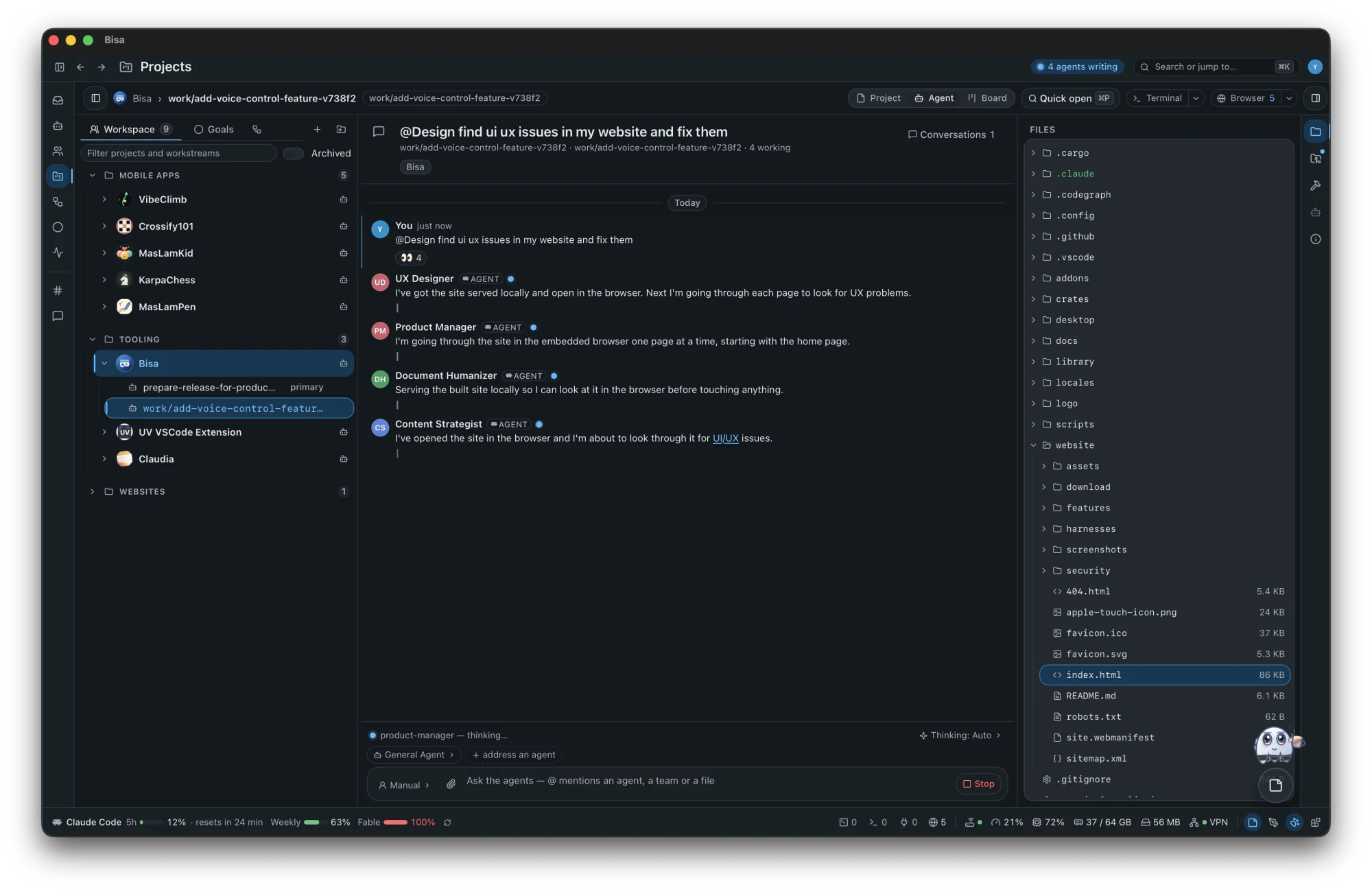
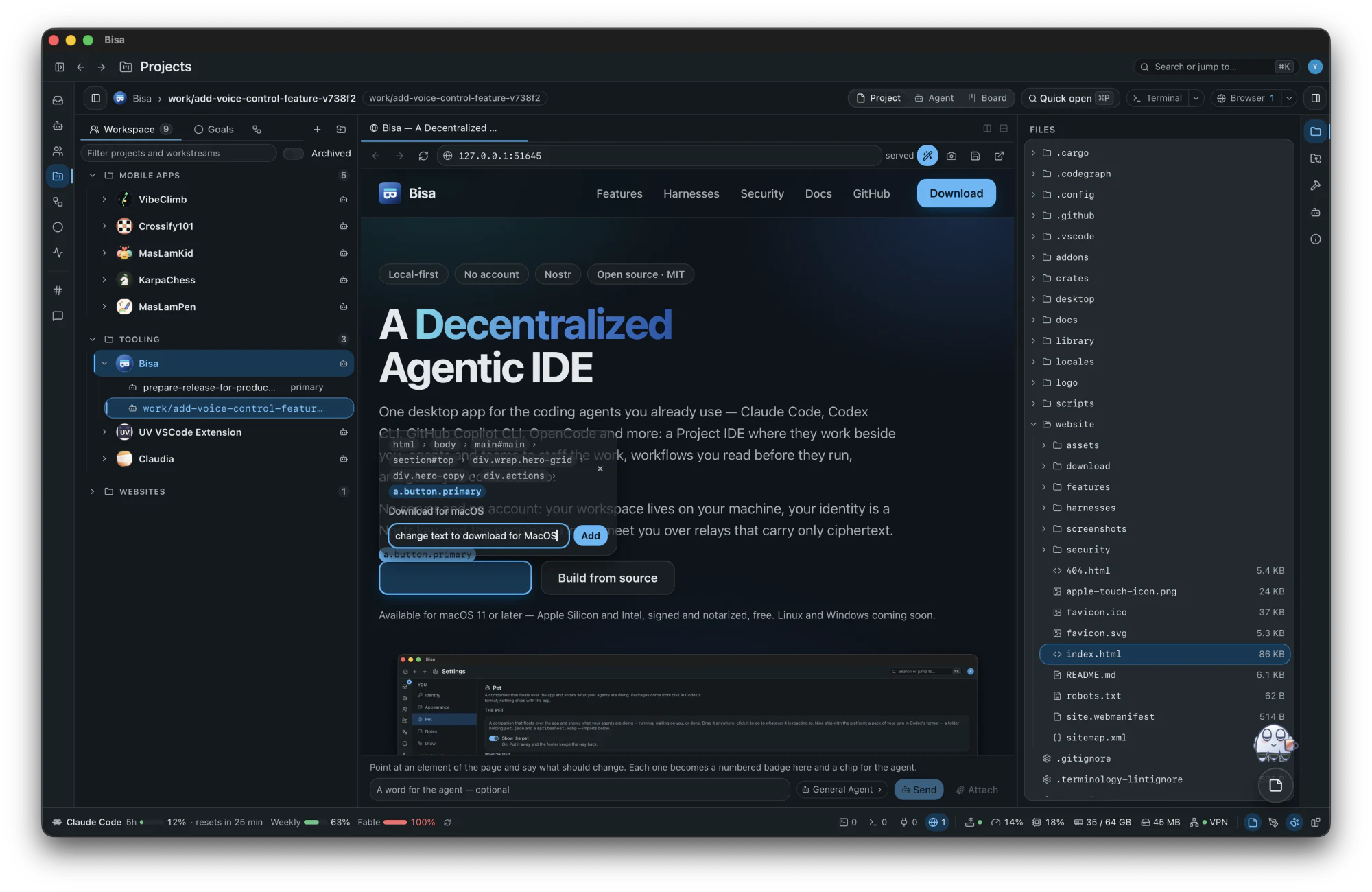
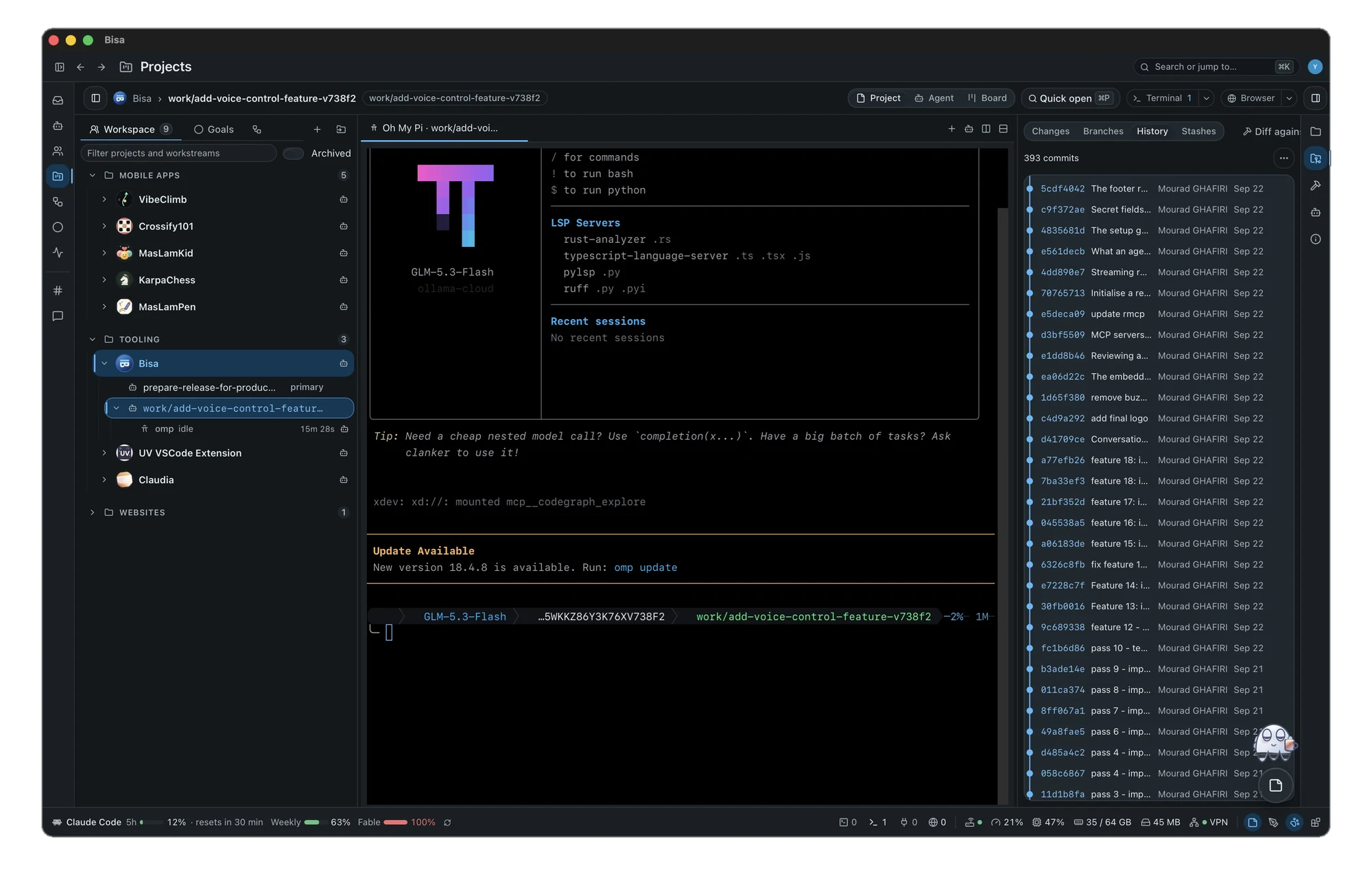
And more in the Project IDE: harnesses in terminal tabs that report to the roster and, where the harness allows, ask the guard before each tool; workstreams from any branch, tag or pull request; pull requests and review on GitHub, GitLab and Bitbucket Cloud; the Board; and Mobile Development for Flutter checkouts.
05Workflows
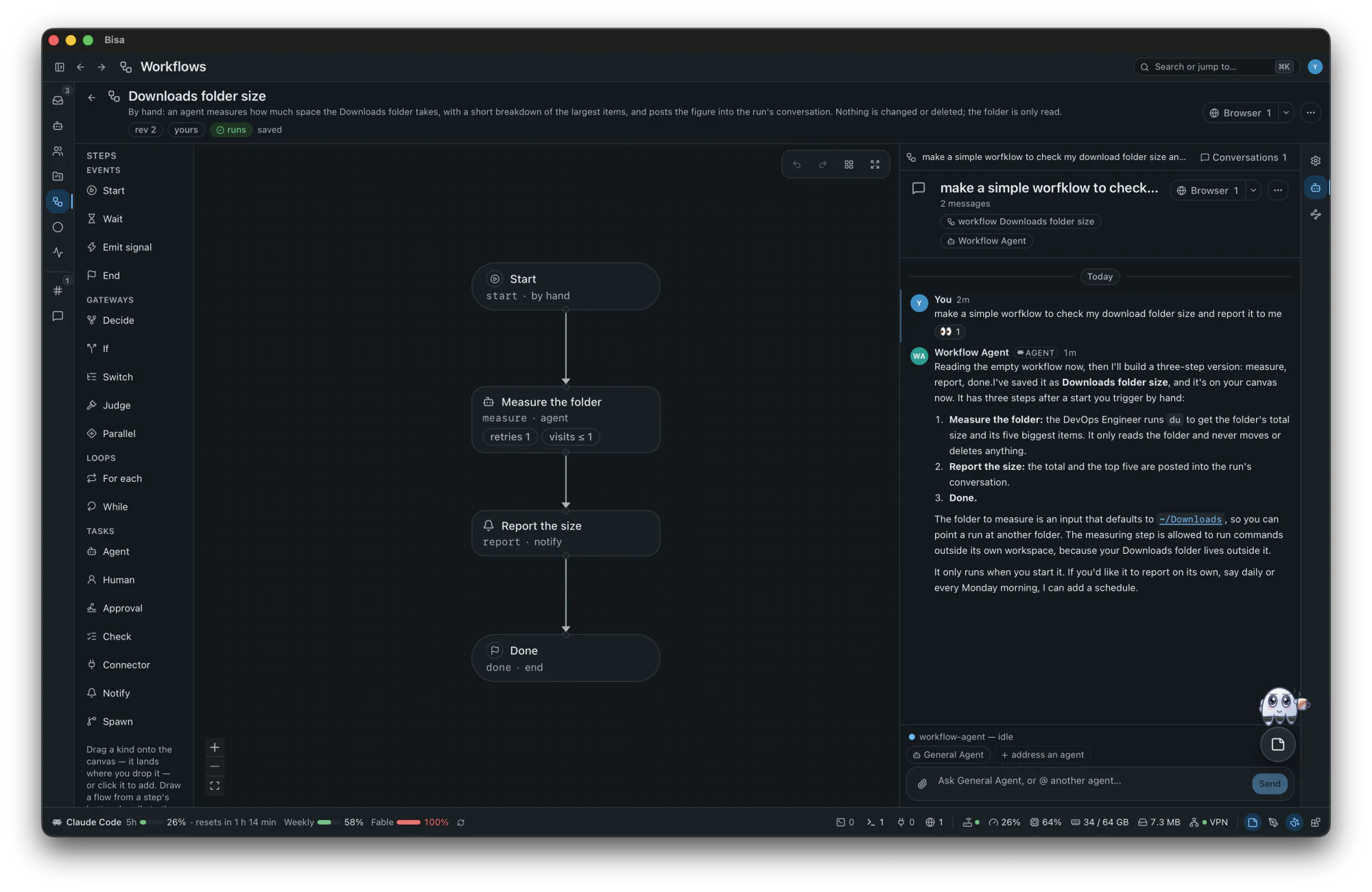
A workflow is how a piece of work runs: a small graph of steps — agents work, checks judge, people answer and approve, the world is waited for. You see every step before anything starts, and you watch each one while it runs.
18 types of step in four families: events — what happens, gateways — what routes, loops — what repeats, tasks — what works. Conditions are a closed, typed set: there is no expression language to script around.
Drawn by hand in the designer, installed from one of 13 templates, or proposed by the Workflow Agent — from the closest template — and adopted by you.
A run carries the workflow — on a goal, or alone in the workspace. Each step wears its state on the canvas, what needs a person waits in the Inbox, and every fact is a signed event in the run's journal.
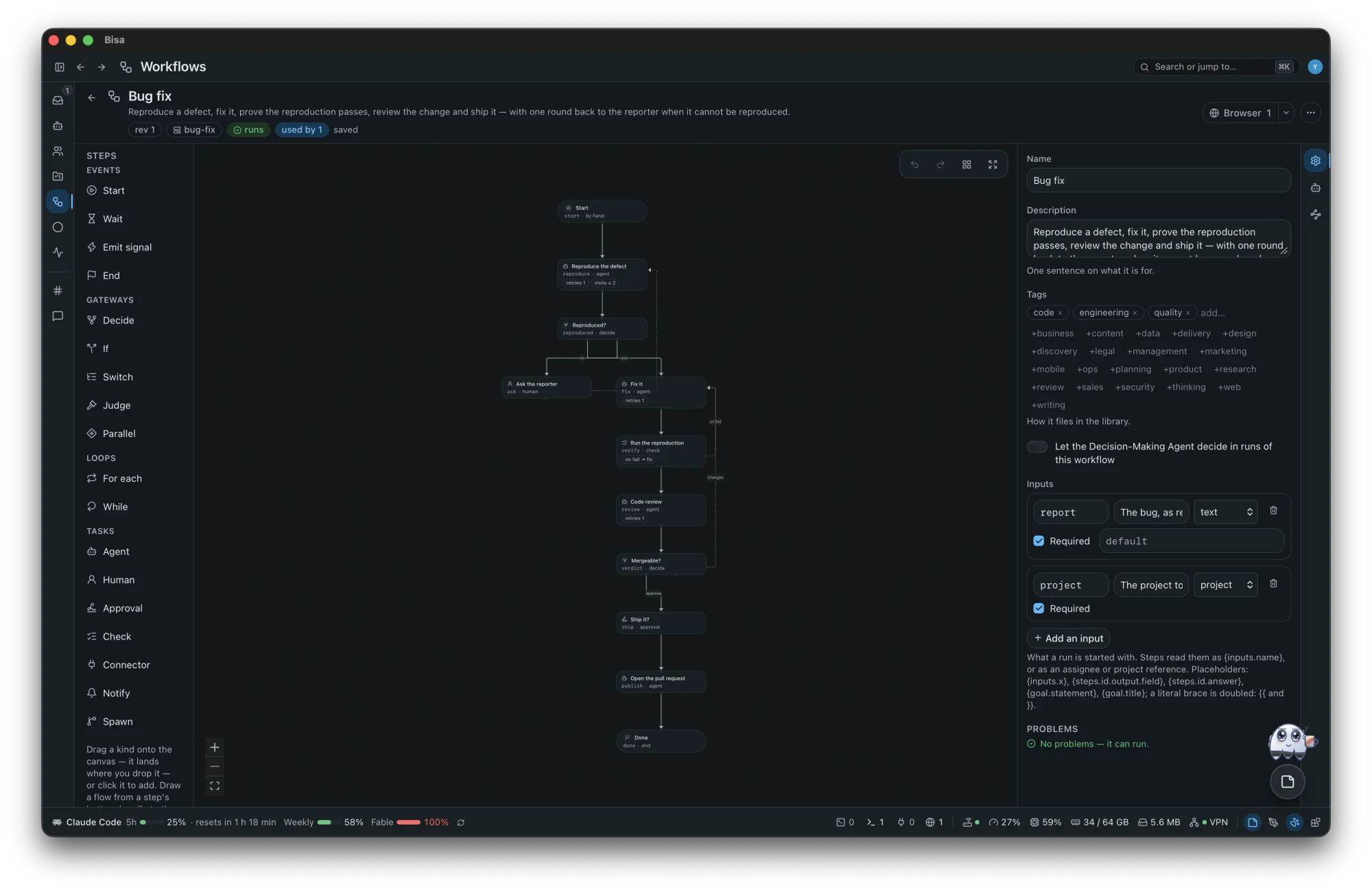
Where a workflow is drawn and read — here, the catalog's Bug fix: reproduce a defect, fix it, prove the fix, review it and ship it, with a way back to the reporter when the defect cannot be reproduced.
Every step, in its four families — events, gateways, loops and tasks. Drag one onto the canvas where it belongs, or click it to add.
The graph, read top to bottom: a branch for each answer, a way back when a check fails. Tidy lays it out again.
Of the workflow, or of the step you select: name, description, tags and inputs — and its problems, said before anything runs.
Properties, Agent and Runs, on the rail at the right edge; above it all, the revision, whether it runs, and what uses it.
Ask it in the Agent pane, in your own words — to draft a workflow, add a step, change a branch or explain the graph. It saves the workflow, and the canvas follows while you watch.
manual by handschedule on a schedulehook when calledmessage when a message arrivessignal when a signal is raisedproject when a project changesrun when a run finishesplatform when the platform saysconnector when an outside platform lists something newcheck when a check starts failingIt is written down as a durable signal, and a run begins from what was written — one signal, one run, under the same gates and budgets as work you started yourself. A step that waits can time out, be reminded or be diverted by a boundary event.

06Goals
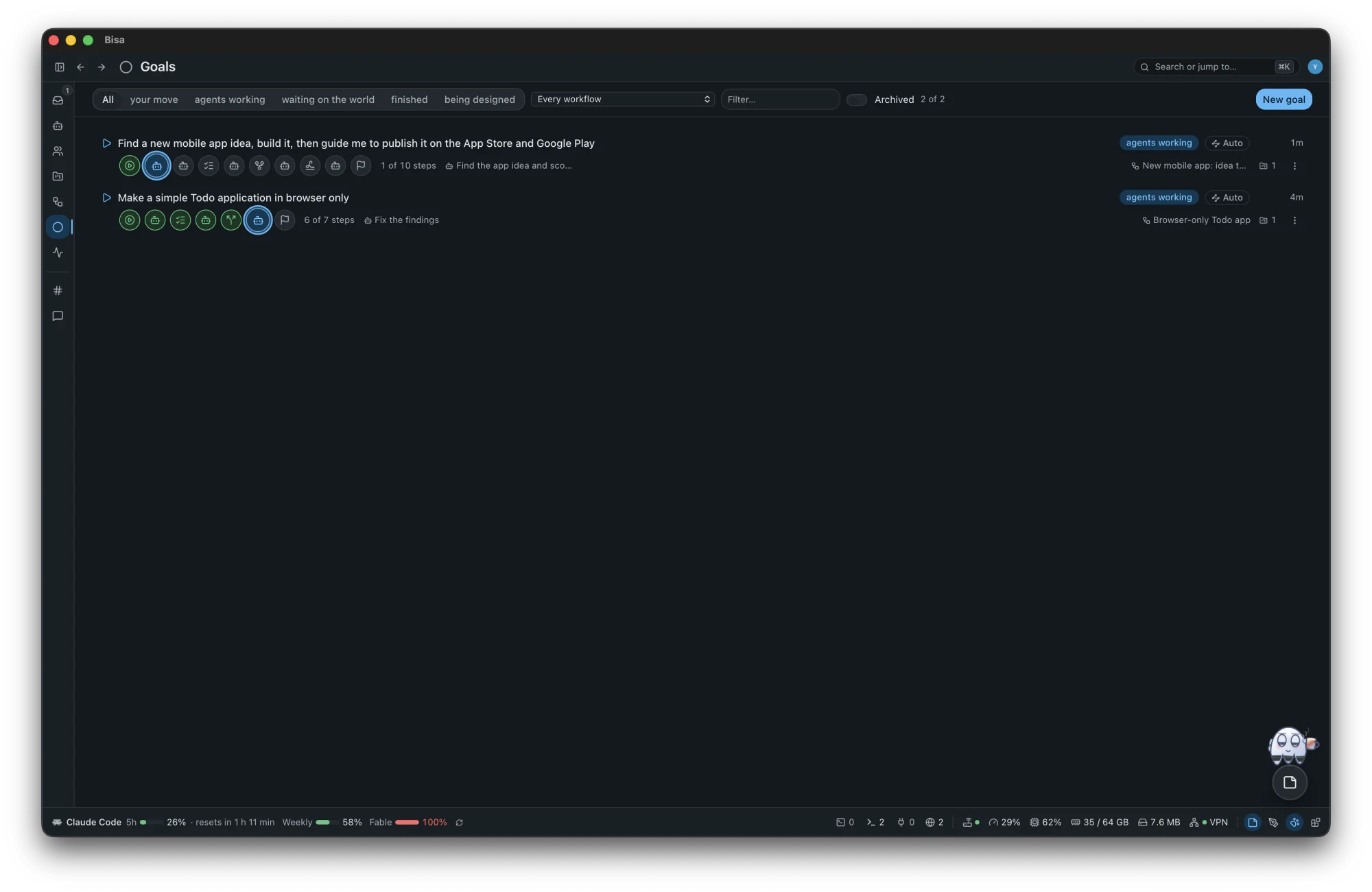
A goal is a stated want, the workflow that makes it real, the run that carries it, and a signed journal of everything that happened. You choose who designs and who adopts.
| Mode | Who designs | Who adopts and runs |
|---|---|---|
| auto (the default) | the Workflow Agent, with a default for every input | the platform adopts, starts and repairs it, and asks you after three failed repairs — or where only a person can act |
| guided | the Workflow Agent proposes | you: Adopt and start, Request changes, Edit the steps or Decline |
| manual | you, on a blank canvas | you; the agent drafts only when asked |
An example, in guided mode
“Find a new mobile app idea, build it, then guide me to publish it on the App Store and Google Play”
In the app's New goal, in one sentence. The goal is captured; nothing runs yet.
It starts from the closest template — Mobile release covers the build-to-store half — asks you first if it needs to, and proposes the steps.
The proposal waits in your Inbox. Adopt it, ask for changes, or edit the steps yourself. The General Agent staffs it: the Researcher, the UX Designer, the Mobile Developer and the Code Reviewer are installed from the catalog.
The research waits for your pick; the screens are drawn; the app is built in a workstream of its own and run on the simulators; tests and review loop until it is shippable.
The gate is in your Inbox. Nothing leaves for a store before your yes.
The Mobile Developer walks each store's listing and submission with you: you sign in on the embedded browser's tab, and the guard asks you before each submission goes.
The run ends. The goal's journal keeps every step, signed — and a goal can listen, to run the next release on a schedule.

07Pulse
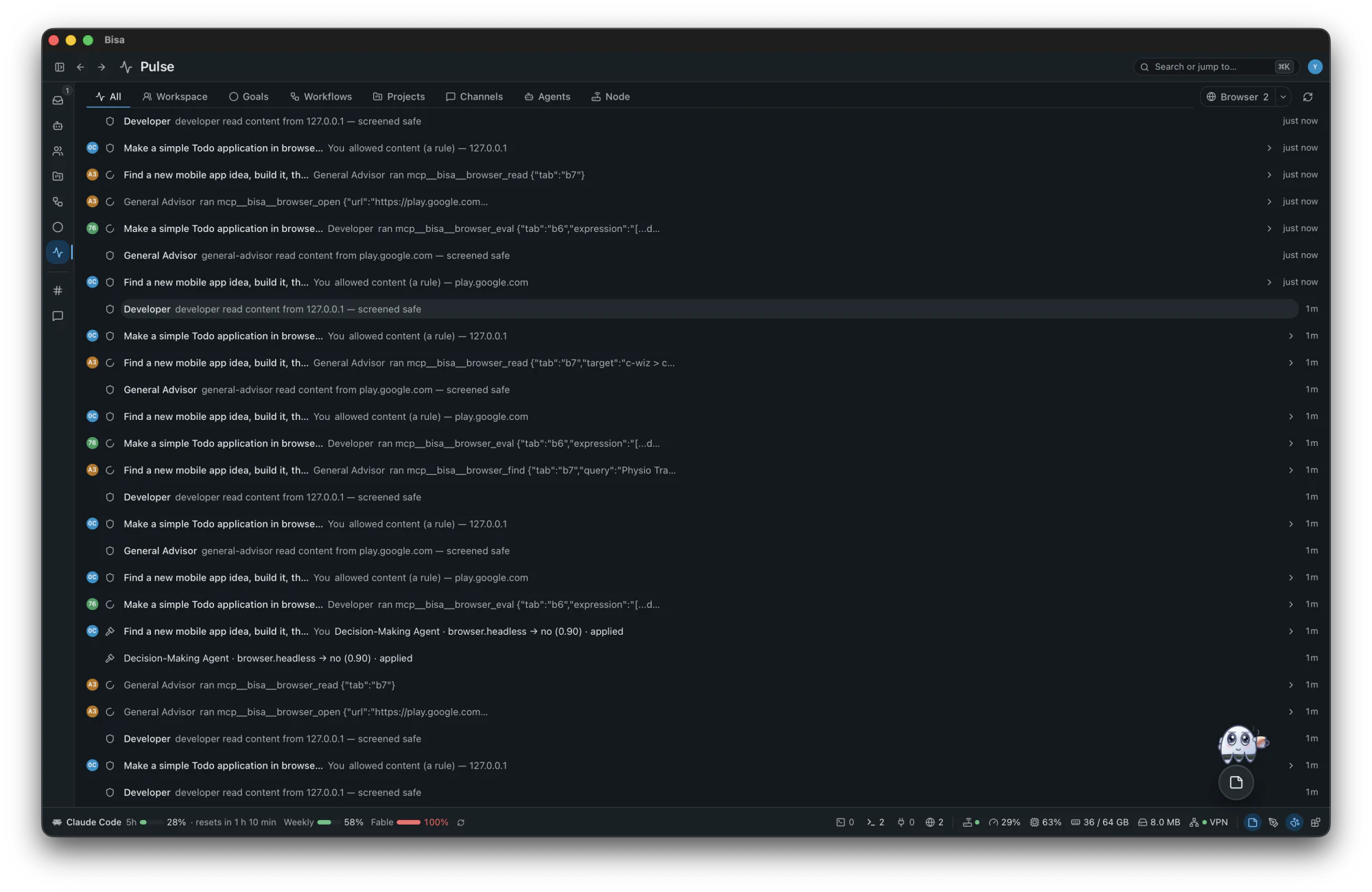
The Pulse is the workspace's live feed — every step that moves, every message, every agent at work — so you can look in without asking anyone.
08Channels
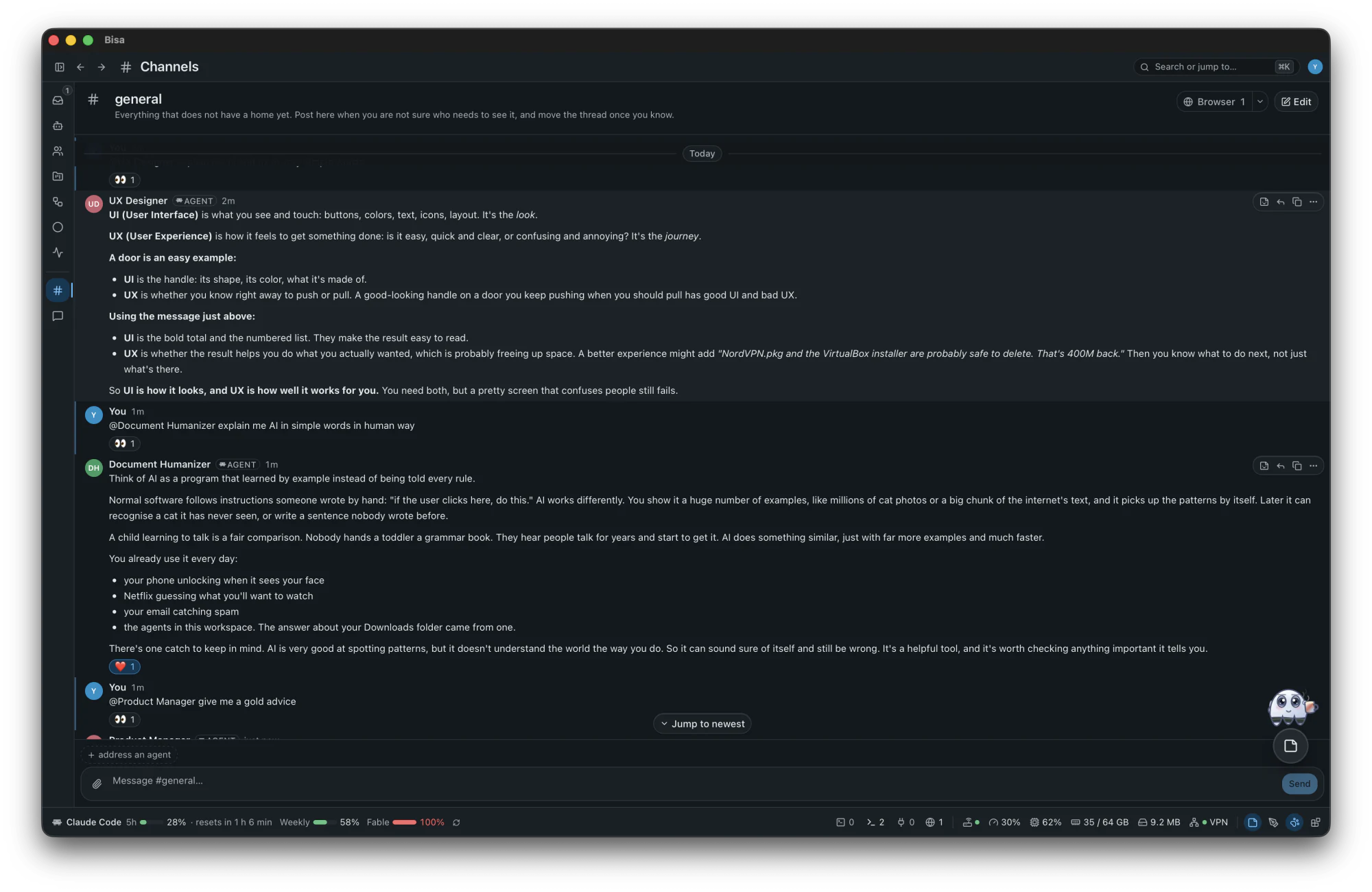
8 more channels in the catalog, beside the permanent general.
09Direct messages
10Settings
+More in the box
npub. Nothing to sign up for.What a relay sees
ciphertext · a recipient key · when, and how big
Never
what the fact is, who wrote it, what it says
Encrypted end to end, node to node — sealed for each person who may read it, with no shared key. In a hosted workspace the host's node is an end: it opens what it receives and seals it again for each member. Exactly what is encrypted
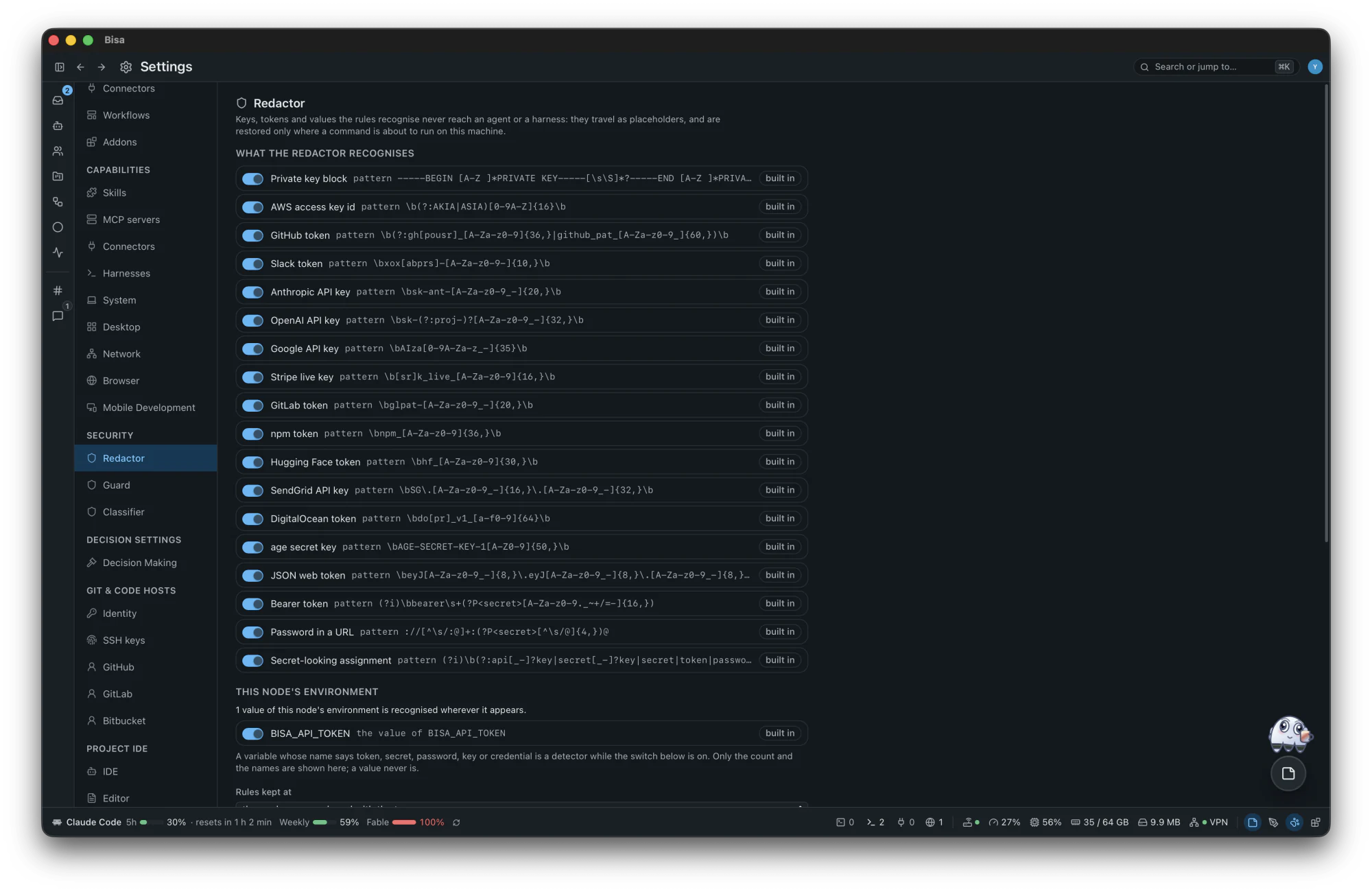
A key reaches an agent as «secret:github_token:7f3a2c», restored only where a command runs on this machine.
What a guarded harness asks to run meets allow, deny, ask or classify first.
Reads the redacted call: SAFE, or HARMFUL and why — and never allows what the rules did not.
A push or a pull request passes the publish gate; a recovery ref comes before anything moves your tree; nothing is deleted while something points at it. Best effort — never a sandbox. What is covered, and what is not
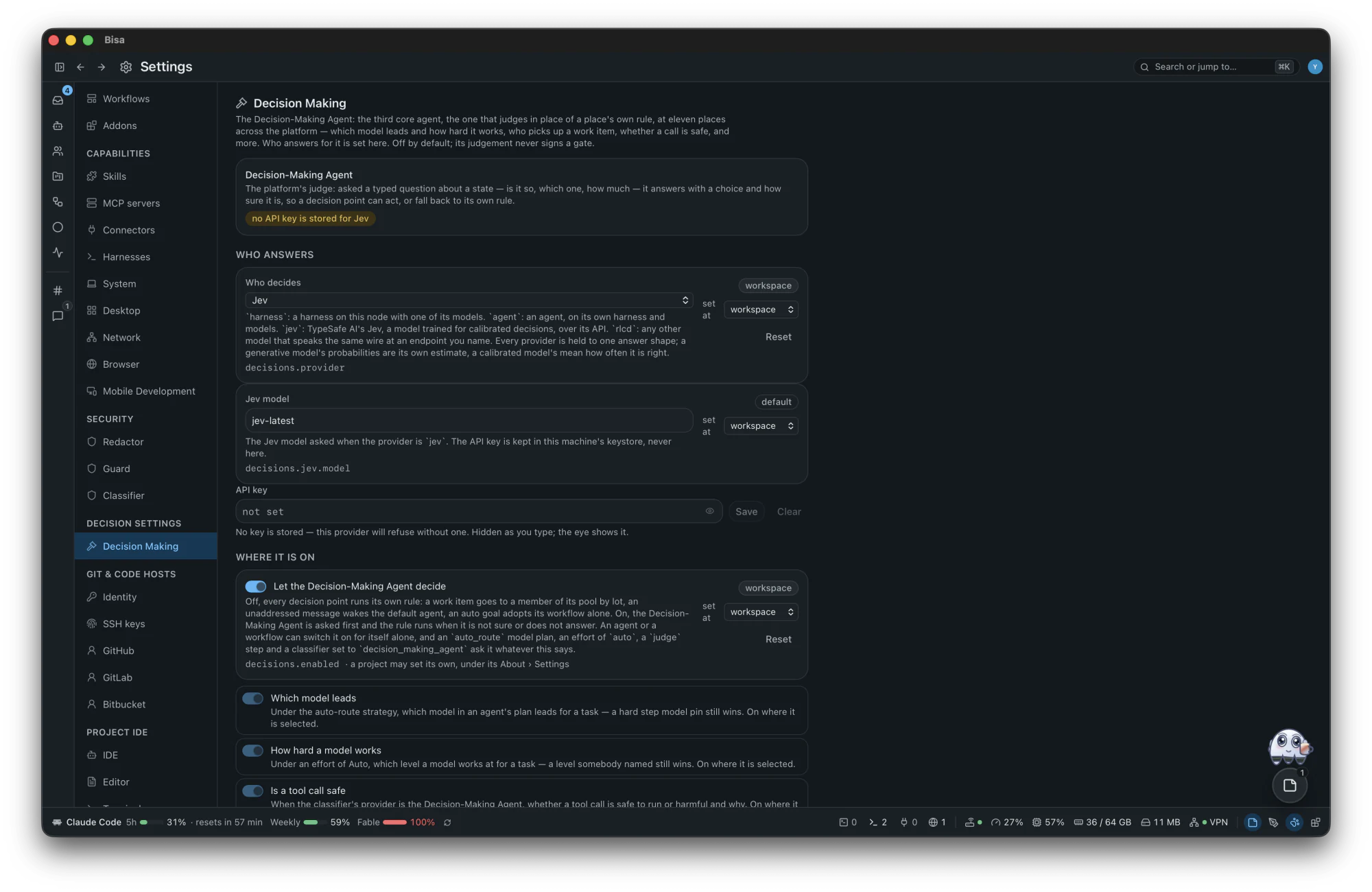
The Decision-Making Agent answers a typed question — is it so, which one, how much — with a calibrated number instead of a guess written into a rule. It is off until you choose who judges.
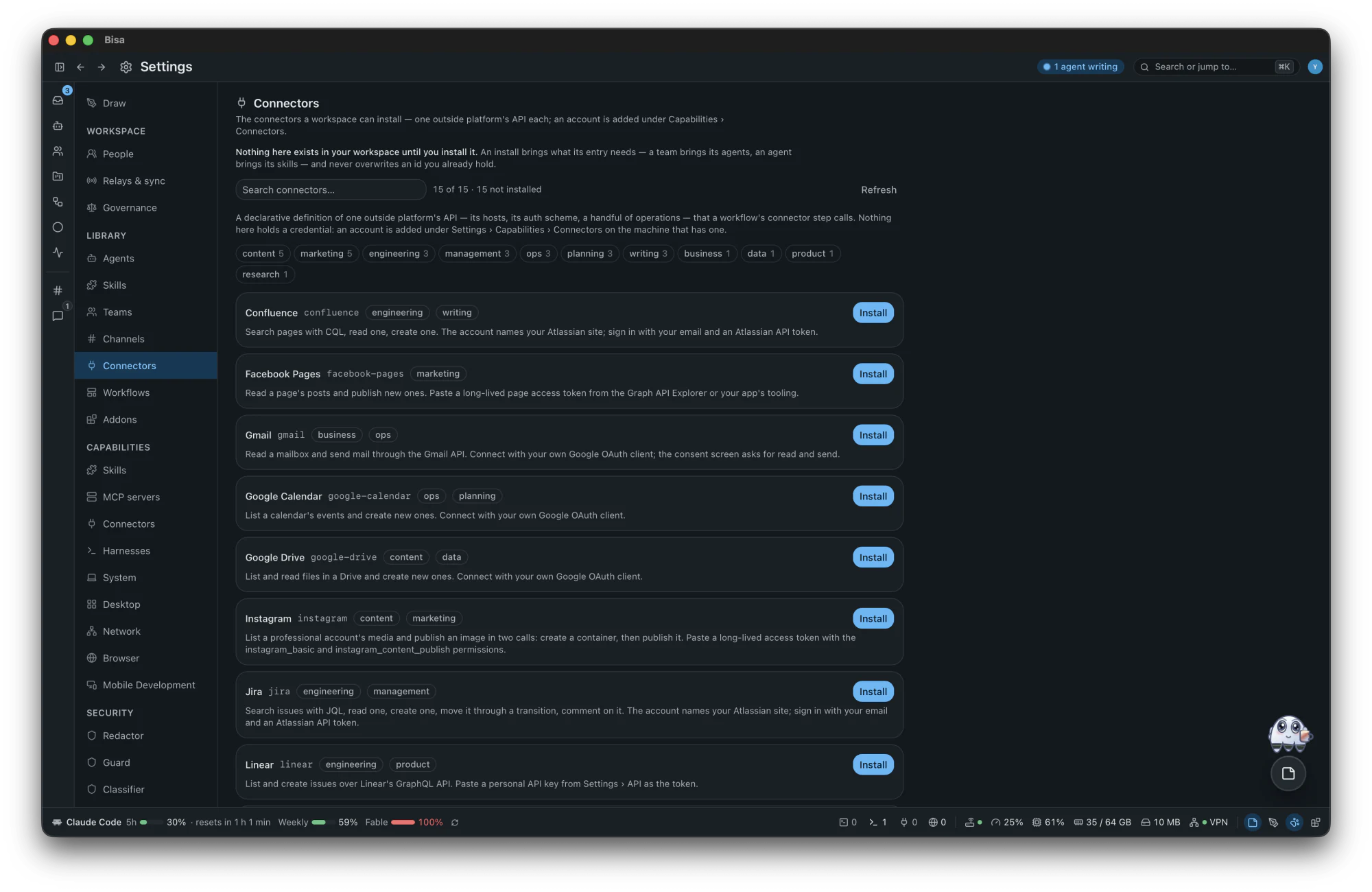
Outside platforms as a workflow step, with accounts you add — and an approval before every write.
ConfluenceFacebook PagesGmailGoogle CalendarGoogle DriveInstagramJiraLinearNotionObsidianSlackTikTokTrelloXYouTube
A markdown note about the workspace, a project, a goal, a workflow, a channel or this machine — opened over whatever you are looking at, and kept in its place while you move around.
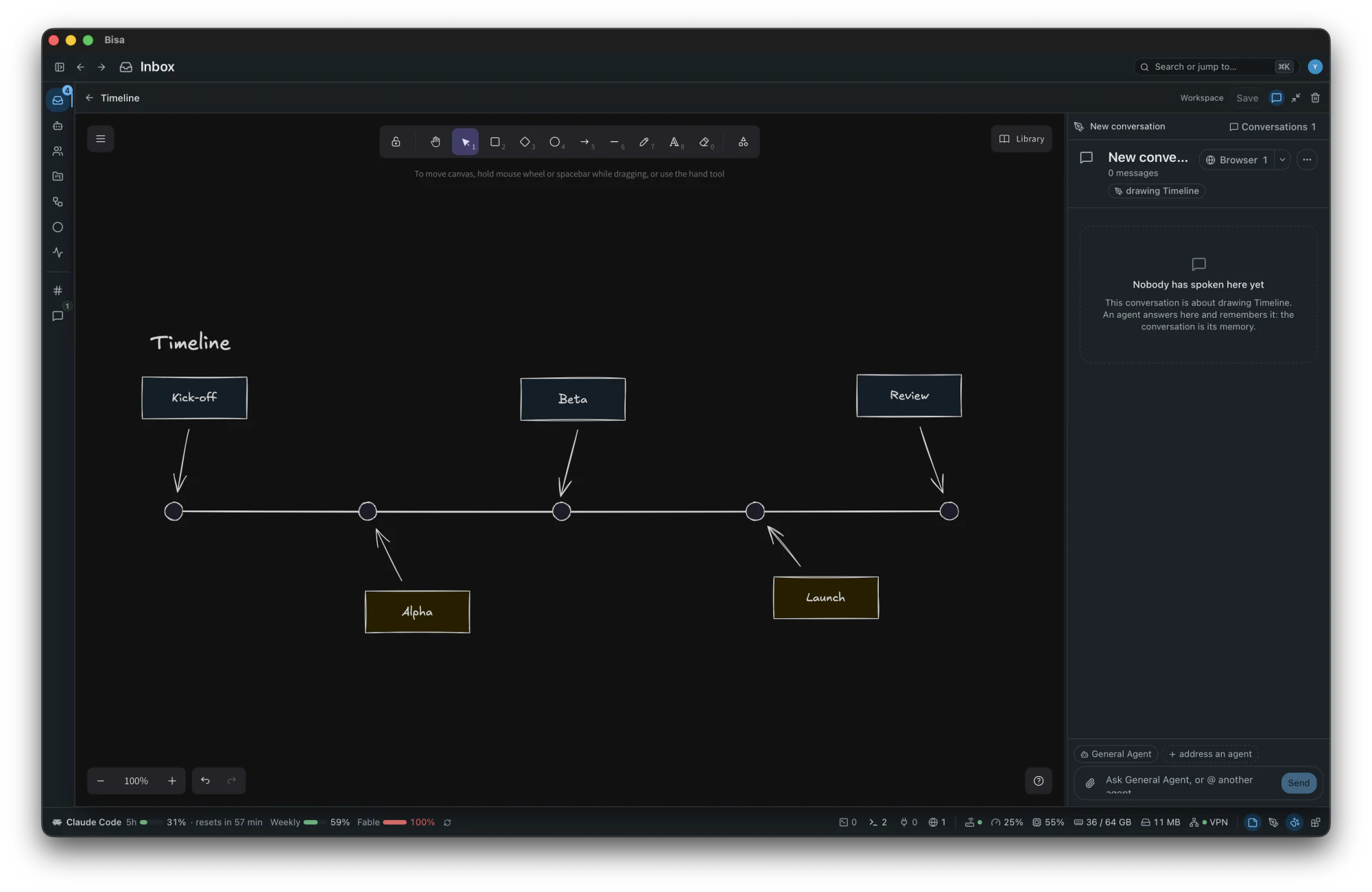
An Excalidraw canvas over whatever you are looking at — a system's parts, a flow, a board, a map — with ten templates and the platform's own shape libraries.
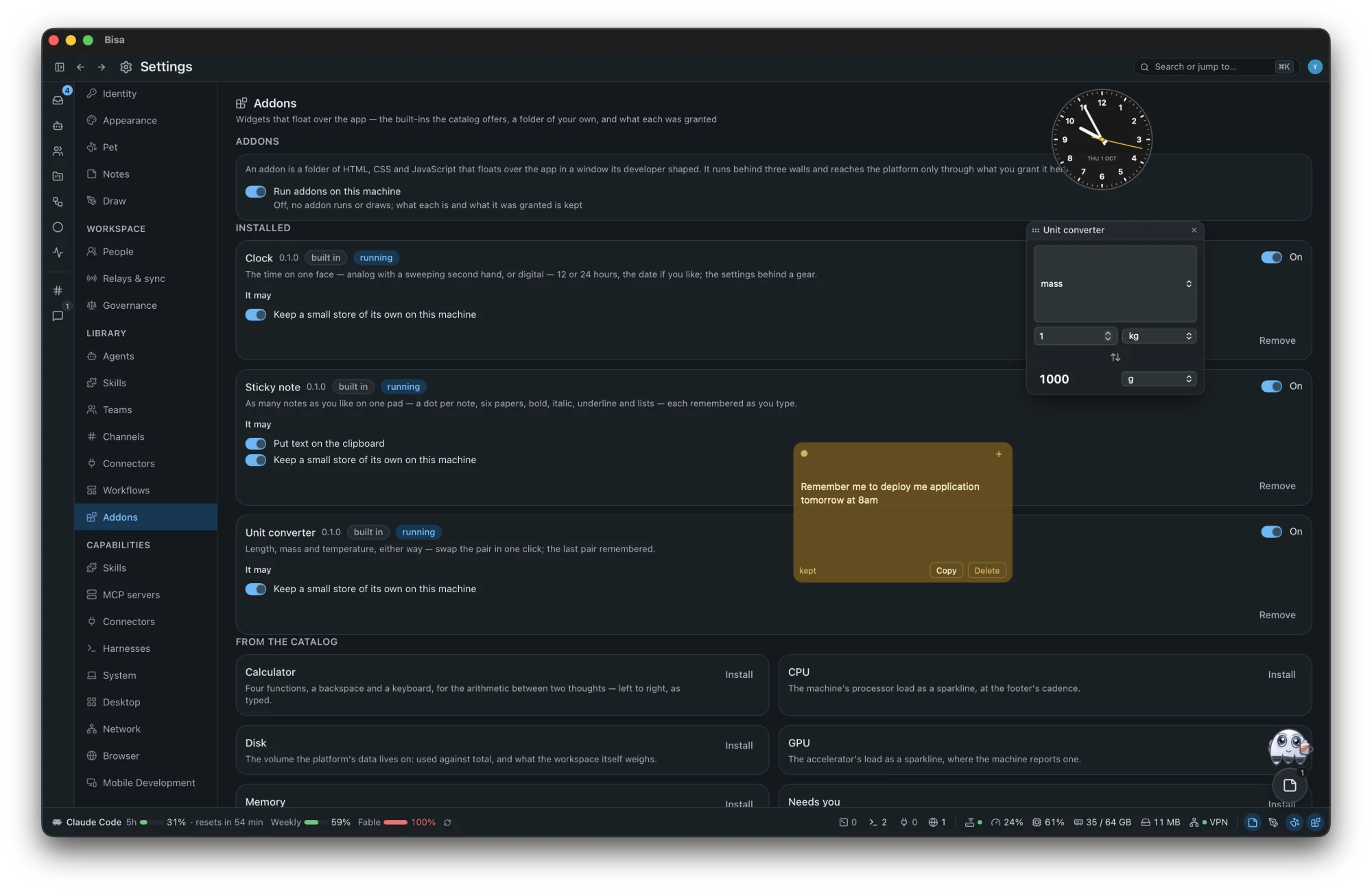
An addon is a folder of HTML, CSS and JavaScript that floats over the app — 13 ship with it, and a folder of your own imports in one step.
CalculatorClockCPUDiskGPUMemoryNeeds youPomodoroSticky noteStopwatchTic-tac-toeUnit converterWeather
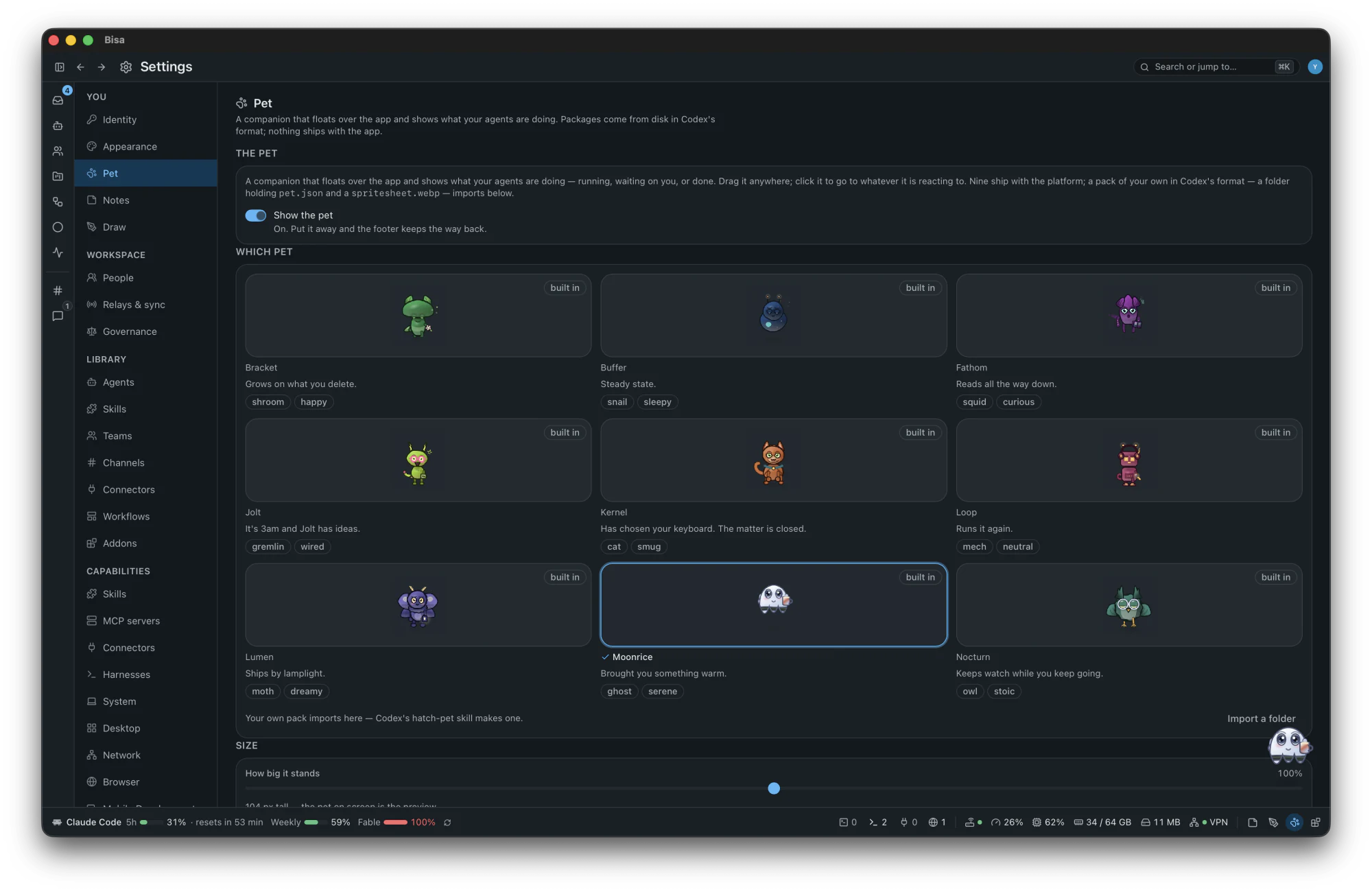
One keeps you company while agents work and shows what they are doing — running, waiting on you, or done. Drag it anywhere; click it to go to whatever it is reacting to. Bracket, Buffer, Fathom, Jolt, Kernel, Loop, Lumen, Moonrice and Nocturn ship with the app. Moonrice brings something warm around two in the morning.
Each is a goal over the platform's generic parts — no scenario is built in. Of the hundred, 45 run on what ships, 42 have a person's step in them by design, and 13 need a connector you write as a file.
Read every row with the parts it uses: the scenarios guide.
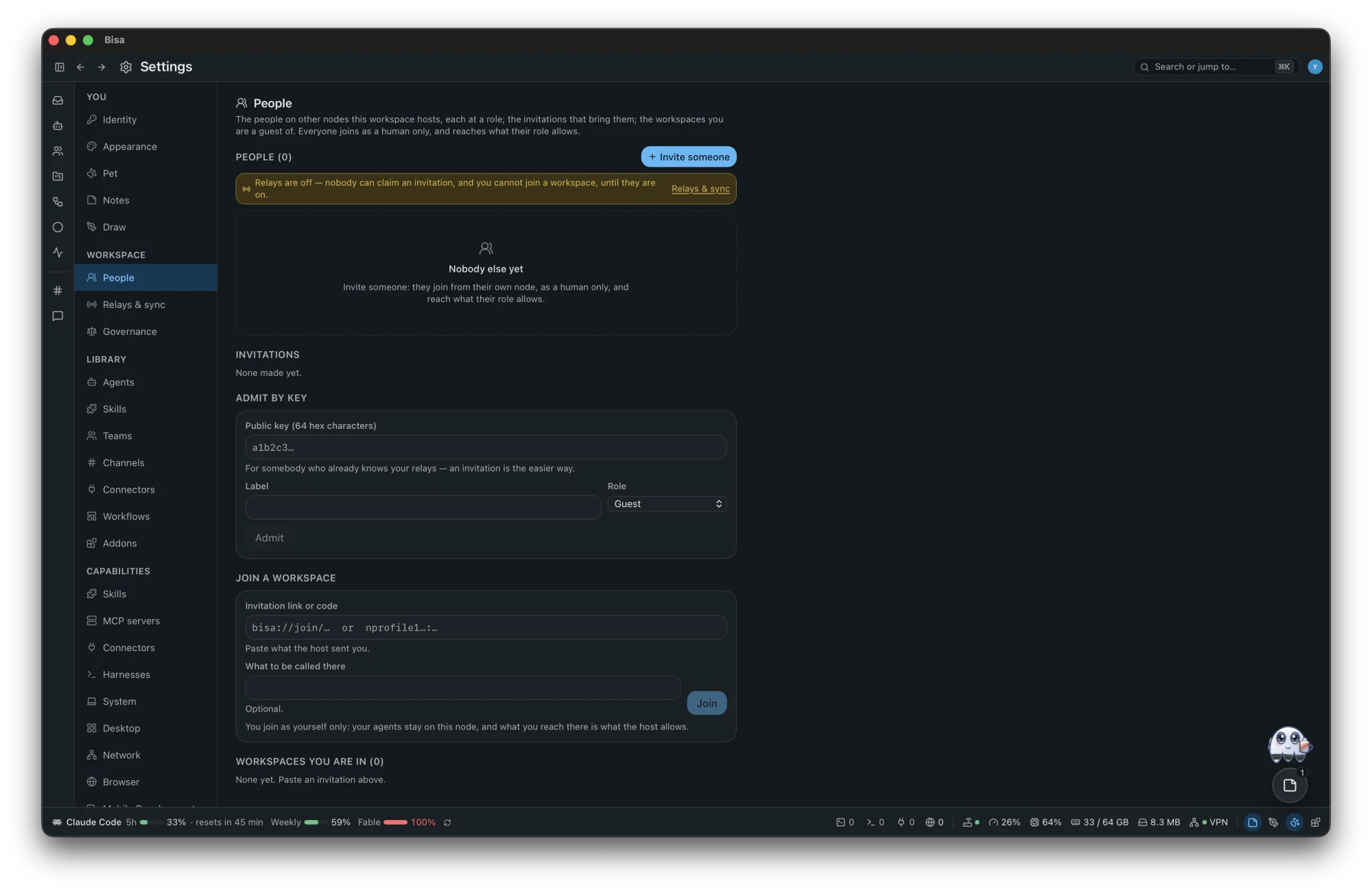
There is no Bisa server. Your workspace is a folder on your machine, your identity is a Nostr keypair, and every agent signs its work with a key of its own. When you invite people, your node and theirs exchange sealed facts over Nostr relays — transport that carries ciphertext and is never an authority. A workspace with no relay at all is complete.
Yes — it is open source under the MIT licence. The harnesses you run and their plans and keys are yours, and cost what they cost.
No. A keypair minted on first run is your identity, and everything lives on your machine, in ~/.bisa.
Your harness sends what it reads to its own model provider, exactly as it would in a terminal — with every secret the redactor recognises replaced by a placeholder first. Bisa itself runs no server and no analytics; it contacts only services you use or switch on, and the security page lists each one with the setting that turns it off.
Claude Code, Codex CLI, OpenCode, GitHub Copilot CLI, Grok Build, pi, Oh My Pi, any agent that speaks ACP, A2A agents and a harness of your own. The harnesses page says what Bisa does with each.
No, and it does not pretend to be. Its protections are best effort: secrets are redacted, a guarded harness's commands are judged before they run, and an observed one runs under its own sandbox. Workstreams are separate checkouts, not containers.
Bisa is available for macOS 11 or later, on Apple Silicon and Intel — a signed, notarized disk image. Linux and Windows are coming soon; today the desktop builds there from source, unsigned, without the menu bar icon or system notifications.
No. Bisa has no server to call and sends nothing about you anywhere. Its diagnostic log stays on your machine.
Download the next release. There is no automatic update, and a new release may not read an older workspace — there is no migration: move ~/.bisa aside and start fresh. The changelog says what changed.
English today. Every sentence the app says lives in a translation catalog, so another language is a folder of translations.
Your move
The first launch checks five things — git, a harness, and the three core agents — and installs nothing: it shows the official line to copy.